Skip to content
Pulsar InteractivePulsar Interactive

AI connectors for your business software

We connect AI to the software your business runs on.

Today your orders, invoices and replies sit in tools that don’t talk to each other.

We build one connector, so Claude or ChatGPT can work in your accounting, bank, inbox and CRM.

It does the busywork and asks you before anything changes. Fixed price, agreed in writing.

A short form, about two minutes. We reply personally within one working day.

  • Singapore-incorporatedUEN 202550480W · ACRA
  • Fixed price, in writingScope agreed before any work
  • A person approves every changeThe AI asks before it writes
  • You own itThe code, your accounts and your data

One connector between your AI and your business.

Your AI reads your systems, prepares the work, and stops when something would change your records. Try the approval step.

Try it · an approval requestWaiting for you

Your AI wants to send 6 invoice reminders

It found six invoices more than 14 days overdue and drafted a reminder for each, but it can’t send them on its own. Anything that changes your records waits for a person. You decide:

Action
Send 6 payment reminders
Where
Your accounting software
Why
Each invoice is 14+ days overdue
Can be undone
No, an email can’t be unsent

What your AI can do, system by system

Read onlyDrafts for youNeeds your approval

Read onlyFind expenses, invoices and purchase orders in plain language
Drafts for youTurn receipt photos and PDFs into draft expenses
Read onlyCheck expenses against the receipts you hold
Drafts for youPrepare quotations and invoices for your team to check
Needs your approvalSubmit the drafts once someone has reviewed them

Examples of what a connector can do. Every action is logged, and we scope exactly which ones your AI gets on the discovery call. Works with Claude, ChatGPT and Gemini. Live today for FlowAccount, Airwallex and Front; other software is quoted as its own connector.

Our work.

A product we run, client projects, and a community platform of our own.

Who you work with

Research and development

From the lab.

Tools we build for ourselves before we build for clients. Each one tests something we later use in client work.

  • Live visuals moving with the music

    Live visuals rig

    A show that runs itself

    Visuals that listen to the music and follow the DJ’s set, choosing what to show without an operator.

    What it tests: automation that runs unattended, with a person able to step in at any moment.

  • Moon · phone remote

    Controls that build themselves

    Moon reads each visual’s settings and builds its sliders and buttons on a phone. No screen is designed by hand.

    What it tests: tools that describe themselves, which is how a connector tells your AI what it can do.

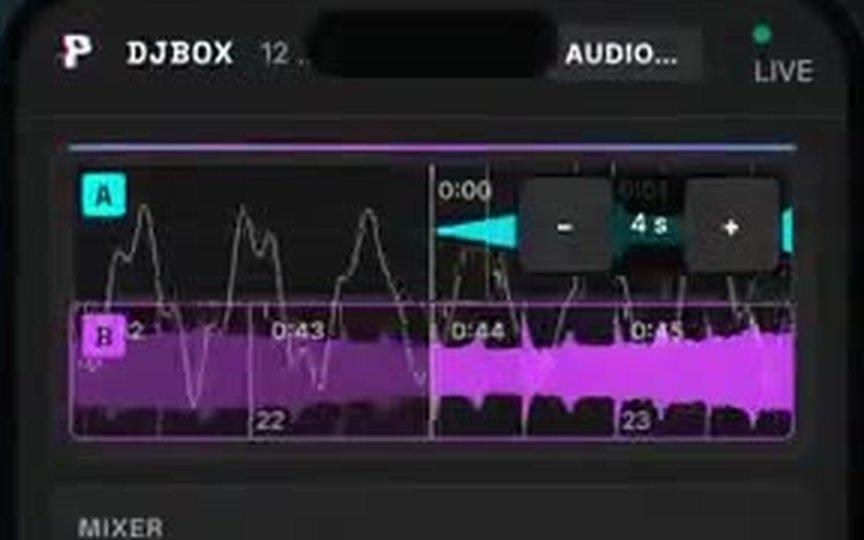
  • DJBox: two decks with waveforms

    DJBox · Mac app

    A DJ app on open tools

    DJBox runs a two-deck controller without the maker’s software, and tells the visuals when the song changes.

    What it tests: getting two systems that were never meant to meet to work as one.

Also in the lab: Sidereal, a Mac app that records vinyl and splits each side into songs. In private testing.

How AI becomes part of how your team works.

A connector only pays off when people use it every day, so training is part of every project, not an extra. Every step has a fixed price, agreed in writing before it starts.

  1. Discovery call

    Free30 minutes

    We pick the one job most worth handing to your AI, and say plainly if we are not the right fit.

  2. Workflow review

    Fixed feecredited if you go ahead

    We see how that job is done today, find who on your team already uses AI, and write down what the connector should do.

  3. Connect and try

    Fixed feeready-made or custom

    Set up on your own accounts, with approval steps, and tried first by one or two people on their real work.

  4. Train the team

    Includedfor the first month after launch

    Hands-on sessions on your team’s own tasks, one person named as the go-to, and a weekly check-in for that month while the habit forms.

  5. Care

    Monthlycancel anytime

    We keep it working when AI models or your software change, review how it is used each month, and add the next job.

We work with owner-run businesses that have no in-house engineers, Singapore first and clients internationally. Someone else signs? Pitch us to your boss

See prices

Tell us what you run.

Tell us which software your AI should work in, and the job it should take over. Four short questions, about two minutes. We reply personally within one working day, and if it looks like a fit you can pick a time for a call straight away.

Step 1 of 3
We want AI in the software we already use

Pick all that apply.